Consumer Grade Software for Growers
In almost every software evaluation you will hear some version of “it’s simple once you learn it,” and everyone nods along, because a steep learning curve is treated as a normal price of powerful software. The second half of that sentence, the “once you learn it” part, is an excuse clause. That learning curve is the result of not enough effort on the product side, and the customer pays for it instead: vendor training weeks, pages of documentation, and the one person in the office who knows where everything lives. We think it has gone unchallenged for too long.
The bar we picked
When we set the quality bar for Work Suite, we looked outside our own category. Ramp manages corporate spend and billing. Notion manages knowledge for entire companies. Both solve genuinely complex problems, and both ship software a new user can open and understand the same day, with no weeks of training. That is the bar we hold ourselves to: software for growers that matches the quality of what companies like Ramp and Notion produce, still solving complex problems, but doing so as simply as possible.
We’re not there yet, but, like Ramp and Notion, we are trying to make our ERP platform as close to consumer grade software as possible. We believe we have a real shot at it because of our investment in AI infrastructure. A grower recently told us Work Suite looks like Notion, so we are doubling down on our efforts.
What we did this quarter
Holding that bar is one of our quarterly initiatives, and it is mostly unglamorous work. Last quarter our team rebuilt almost 200 forms across Work Suite so that every one of them behaves consistently and every input works properly on a phone. We also redesigned Work Suite’s overall layout and sidebar navigation, so the product now presents one coherent structure rather than a collection of screens built at different times.
The reasoning behind that work is simple. Consistency and polish signal quality to the people using the software, maybe even subconsciously. When every form behaves like the last one, nobody has to relearn the product screen by screen, and the friction we are trying to eliminate gets a little lower with every release.
The shortcuts
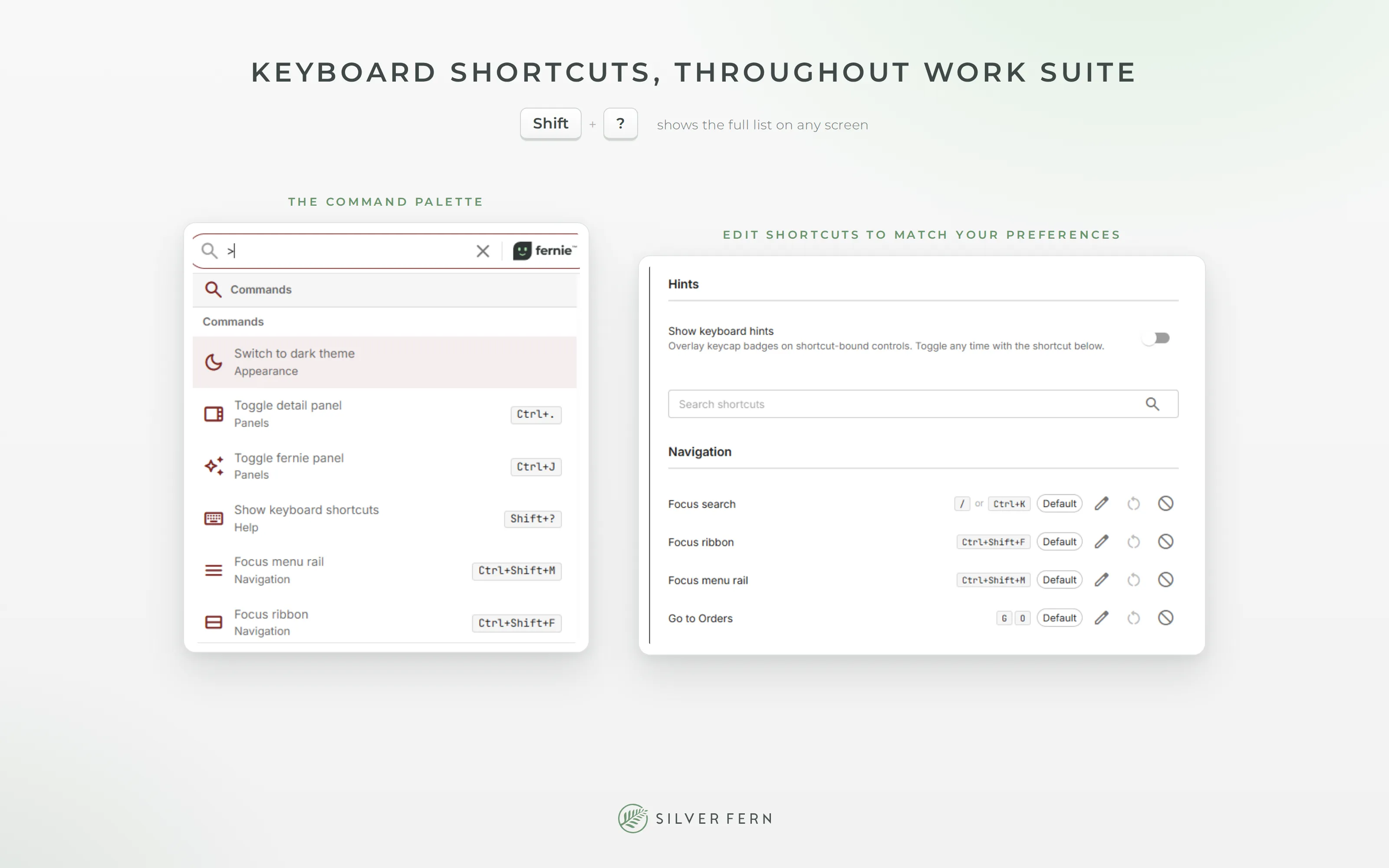
Consumer grade shows up in small mechanics too. Work Suite now has keyboard shortcuts throughout, following the same patterns as other modern software. Press g and then a letter to jump between modules: g p for PRODUCE™, g r for RESTOCK™, g o for your orders. Press / to search from anywhere. Alt and a number switches between open tabs. Shift and ? shows the full list on any screen, and if you don’t like a shortcut, you can change it in Settings.
Of course, you can ignore all of this and run Work Suite with a mouse. The shortcuts are there for the people who spend their whole day in the product.
By the way, fernie
There is also a shortcut past the menus entirely. fernie™, the assistant built into Work Suite and now in Beta, works from natural language: ask about your customers, your pricing, your catalog, or your orders, and it pulls the answer from your live data, finds the record, or takes you to the screen you need.
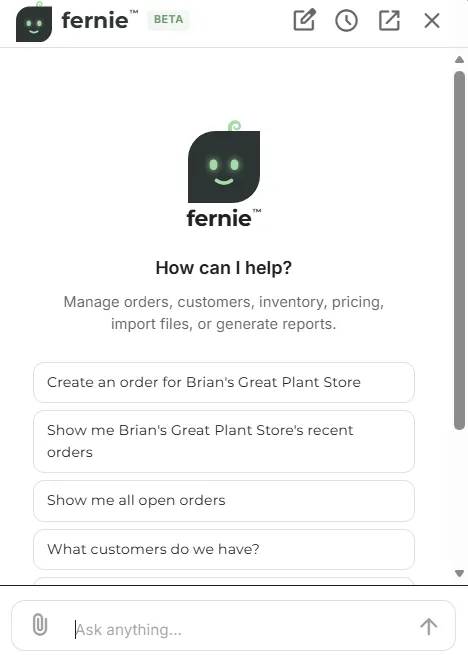
You can also just give it a customer’s order list in whatever format it arrived, a spreadsheet, a PDF, an export from another system, and it creates the orders, shows you exactly what it will do first, and then does it for you once you approve.
It’s the same idea as the shortcuts, just taking it a step further. Instead of learning where something lives in the menus, you ask for it. And Ctrl+J opens fernie from any screen.
Where this goes
An ERP spans a grower’s entire operation, and there is real learning involved in running one. Most of that learning belongs to the operation itself, and the software’s job is to stop adding to it. Every consistent form and every predictable screen removes a little more of the learning curve. We intend to ship improvements quarter after quarter until growers have an exceptional modern platform to drive their operations.
If you want to judge for yourself, book a live demo any day, or a Thursday consultation with John or Stephen, at silverfern.com/thursdays.